Developer Setup Guide
Smarter follows opinionated code style policies for most of the technologies in this repo. With that in mind, following is how to correctly setup your local development environment.
Prerequisites
Before attempting to setup this project you should ensure that the following prerequisites are installed in your local environment:
Docker Desktop or Docker CE 25x or later
Docker Compose
Node: 24 or later
python: 3.14 or later
git: 2.x or later
make: 3.8 or later
You should also review and execute the following script to ensure that you have all of the necessary macOS system dependencies for building Python packages.
bash ./scripts/install-macos-python-build-deps.sh
Lastly, if you work on cloud infrastructure then you’ll also need these:
terraform latest
terragrunt latest
awscli: latest
Launch the Smarter Platform
git clone https://github.com/smarter-sh/smarter.git
make         # scaffold a .env file in the root of the repo, with its
             # encryption key. Optionally, add your API keys to it.

make init    # initialize dev environment, build & init docker.
make build   # builds and configures all docker containers
make run     # runs all docker containers and starts a local web server on port 8000
Work With Source Code
To preserve your own sanity, don’t spend time formatting your Python, Terraform, JS or any other source code because pre-commit invokes automatic code formatting utilities such as black, flake8 and prettier, on all local commits, and these will reformat the code in your commit based on policy configuration files found in the root of this repo.
Running docker ps you should see output similar to the following.
CONTAINER ID   IMAGE          COMMAND                  CREATED              STATUS              PORTS                    NAMES
7570286d11c0   smarter        "watchmedo auto-rest…"   About a minute ago   Up About a minute   0.0.0.0:9357->8000/tcp   smarter-app
7df77367d1d5   smarter        "bash -c 'watchmedo …"   About a minute ago   Up About a minute   8000/tcp                 smarter-worker
f3bf3acbd087   smarter        "bash -c 'watchmedo …"   About a minute ago   Up About a minute   8000/tcp                 smarter-beat
7db0374bb2dc   mysql:latest   "docker-entrypoint.s…"   About a minute ago   Up About a minute   3306/tcp, 33060/tcp      smarter-mariadb
33c6673de559   redis:latest   "docker-entrypoint.s…"   About a minute ago   Up About a minute   6379/tcp                 smarter-redis
Good Coding Best Practices
This project demonstrates a wide variety of good coding best practices for managing mission-critical cloud-based micro services in a team environment, namely its adherence to 12-Factor Methodology. Please see this Developer Guide for additional details.
We want to make this project more accessible to students and learners as an instructional tool while not adding undue code review workloads to anyone with merge authority for the project. To this end we’ve also added several pre-commit code linting and code style enforcement tools, as well as automated procedures for version maintenance of package dependencies, pull request evaluations, and semantic releases.
Repository Setup
.env setup
Smarter uses a LOT of configuration data. You’ll find a
pre-formatted example .env file to
help you get started, noting however that simply running make from
the root of this repo will scaffold this exact file for you.
pre-commit setup
This project uses pre-commit as a first-pass automated code review / QC process. pre-commit runs a multitude of utilities and checks for code formatting, linting, syntax checking, and ensuring that you don’t accidentally push something to GitHub which you’d later regret. Broadly speaking, these checks are aimed at minimizing the extent of commits that contain various kinds of defects and stylistic imperfections that don’t belong on the main branch of the project.
Note that many of the pre-commit commands are actually executed by
Python which in turn is calling pip-installed packages listed in
smarter/requirements/local.txt located in the root of the repo. It
therefore is important that you first create the Python virtual
environment using make pre-commit. It also is a good idea to do a
complete ‘dry run’ of pre-commit, to ensure that your developer
environment is correctly setup:
make pre-commit
Output should look similar to the following:
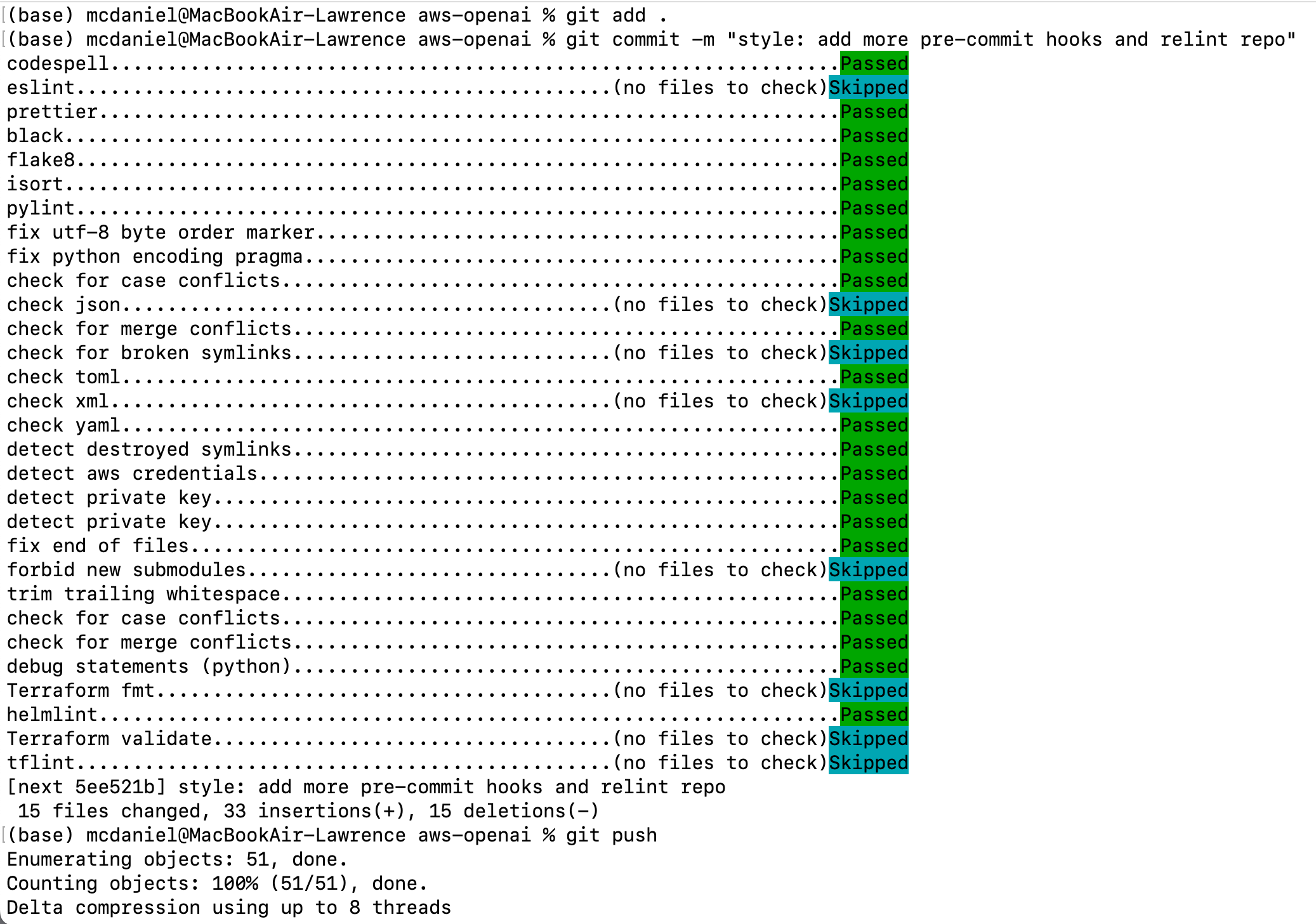
pre-commit output
Github Secrets setup
Common secrets for automated CD/CD processes are managed with GitHub Secrets. The GitHub Actions automated processes depend on several of these. When creating pull requests, the GitHub Actions will use these secrets, github.com/smarter-sh/smarter/settings/secrets/actions, so there’s nothing special for you to do.
On the other hand, if you’ve forked this repo and are working on your own independent project, then you’ll need to initialize each of these yourself.
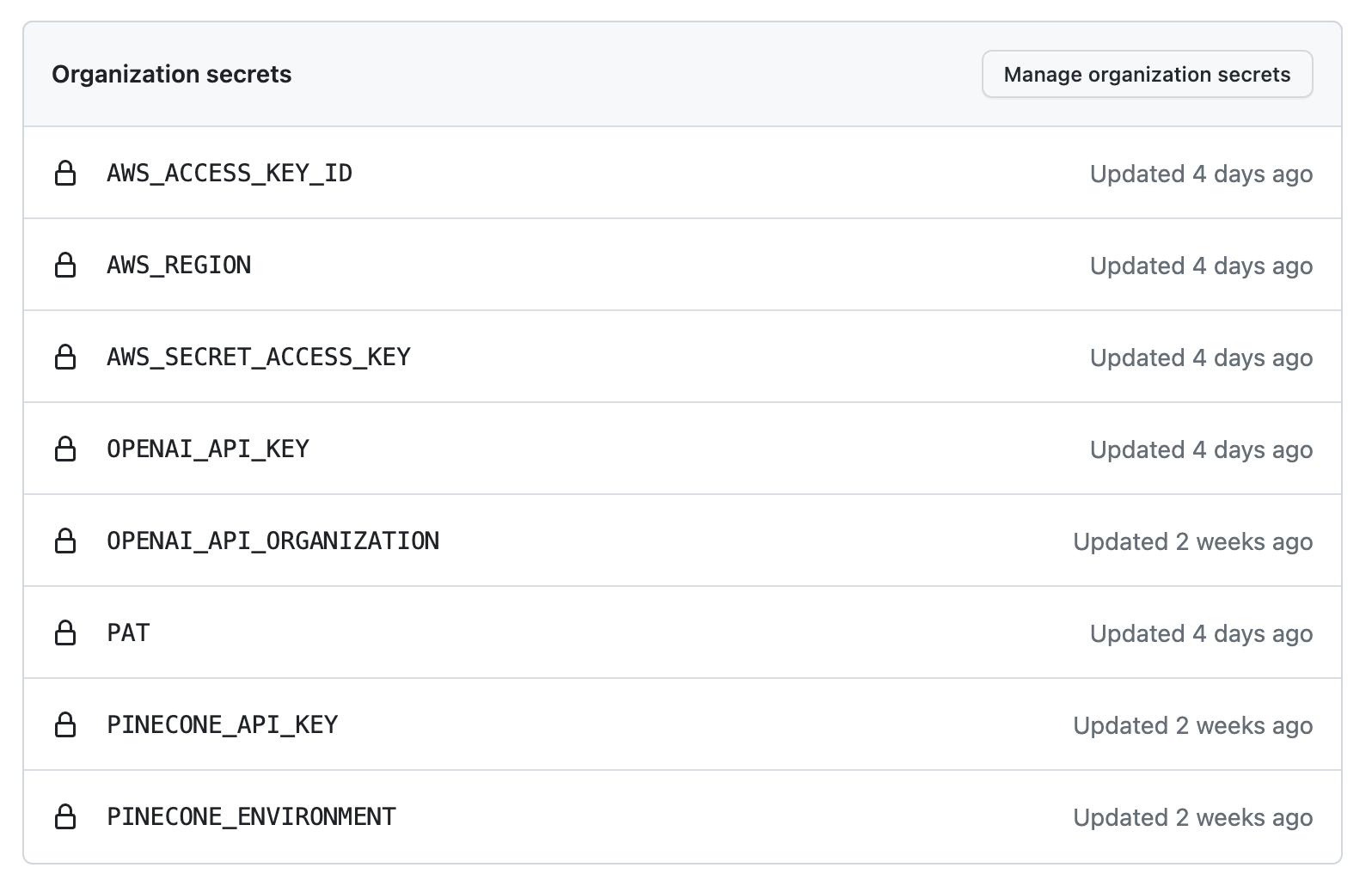
Github Secrets
Kubernetes Secrets
The Terraform code in this repo generates several sets of sensitive data that are persisted to Kubernetes Secrets. This configuration data is tightly integrated to the CI/CD build and deploy workflows, and fully automates configuration of all back end services on which Smarter relies including for example, MariaDB, SMTP Email, AWS S3, AWS Elastic Container Registry, and Kubernetes itself.
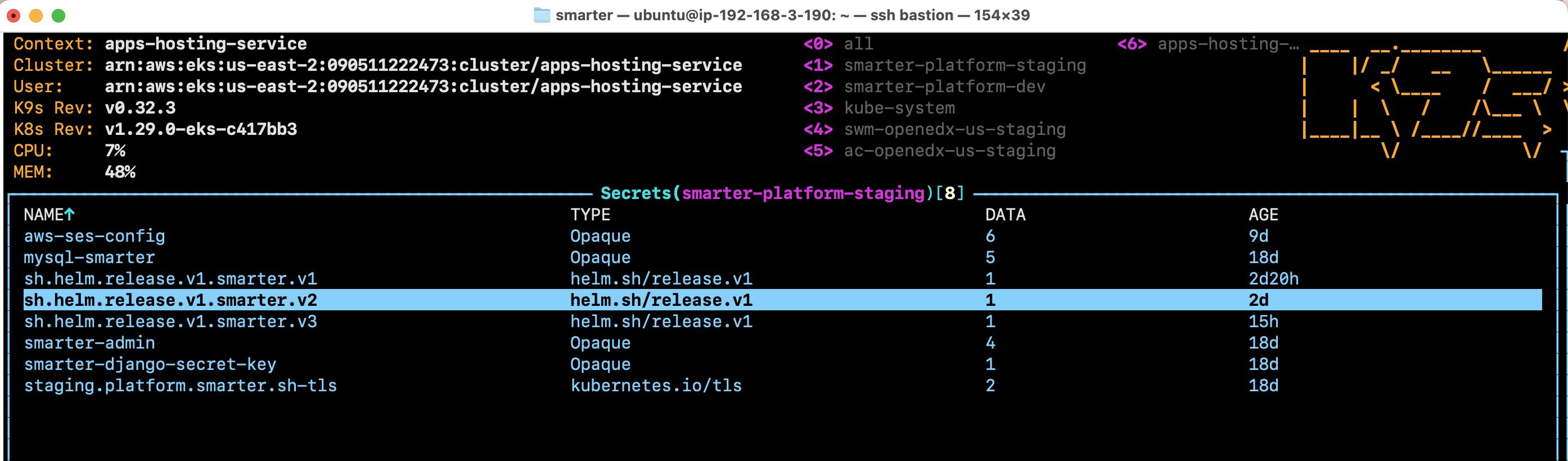
Kubernetes Secrets
GitHub Actions
This project depends heavily on GitHub Actions to automate routine activities, so that hopefully, the source code is always well-documented and easy to read, and everything works perfectly. We automate the following in this project:
Code style and linting checks, during both pre-commit as well as triggered on pushes to the main branch
Unit tests for Python, React and Terraform
Docker builds
Environment-specific deployments to Kubernetes
Semantic Version releases
version bumps from npm, PyPi and Terraform Registry
A typical pull request will look like the following:
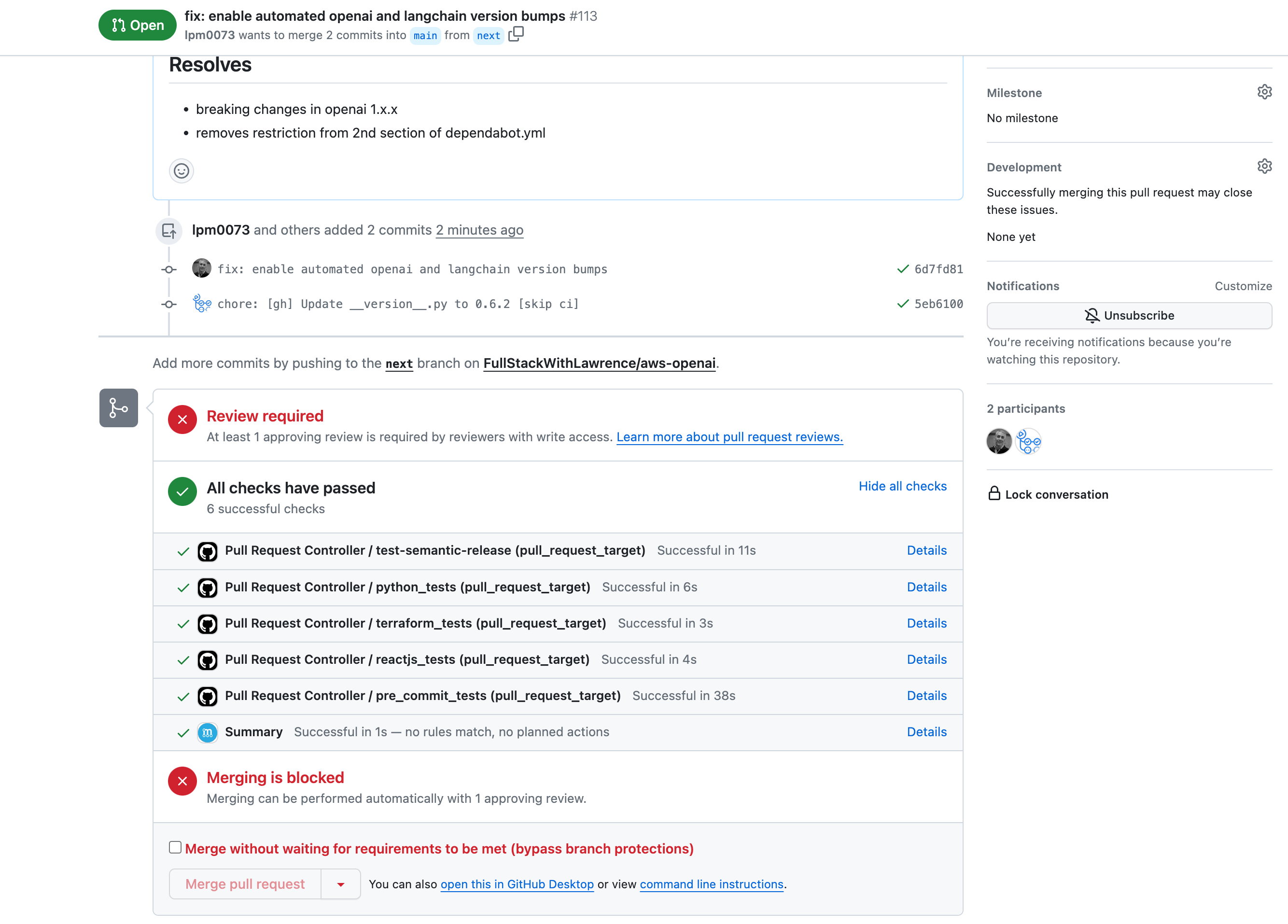
Automated pull request
Docker Setup
You can leverage Docker Community Edition and Docker Compose to stand up the entire Smarter platforn in your local development environment. This closely approximates the Kubernetes production environment in which Smarter actually runs. Everything is substantially created with two files located in the root of this repo:
Dockerfile: This defines the contents and configuration of the Docker container used to deploy the Smarter application, worker, and Celery Beat service in all Kubernetes environments as well as in your local Docker CE environment. Thus, think twice before pushing modifications to this file, as there could be unintended consequences.
docker-compose.yml: This simulates the Helm deployment charts used for Kubernetes based staging and production environment. It defines all services that makeup the application stack, including MariaDB and Redis.
Helm Chart: Smarter is deployed to Kubernetes via this locally managed Helm chart. You can use this as a reference for questions regarding ports, network configuration, horizontal and vertical scaling configuration, and Docker Container configurations for each service.
Python Setup
Smarter is built substantially on the Django web development framework for Python, Django REST Framework and Pydantic data validation library. Smarter strictly follows generally accepted best practices and coding conventions for all of these. Thus, to work effectively on this project you’ll need familiarity with all of these third party code libraries. Also note that this project leverages Dependabot and Mergify for managing version numbers of all Python dependencies that are used in this project. These two services monitor all of the Python (and NPM and Terraform) dependencies for the project, automatically bumping package versions as well as running unit-tests in order to guard the main branch against breaking changes. Versions should therefore always be up to date at the moment that you clone the repo, and it should not be necessary for you to manually bump PyPi package version numbers inside the Python requirements files.
Python requirements: smarter/requirements.
Django settings: smarter/smarter/settings
Dependabot configuration: .github/dependabot.yml
Mergify configuration: .mergify.yml
make django-init
make python-lint
source venv/bin/activate
Configuration Data
Smarter generally follows Django’s convention of storing most
configuration data in environment-specific python modules that are
accessible via django.conf.settings. However, in light of the fact
that Smarter uses a LOT of configuration data, and that this
configuration data necessarily lives in many different locations, we
also have our own propriety configuration module which is based on
Pydantic. The module can be found
here
and is accessed as follows:
from smarter.apps.common.conf import settings as smarter_settings
Unit Tests
We’re using unittest combined with django.test in this project.
There’s a shortcut for running all tests: make django-test. You
should create relevant unit tests for your new features, sufficient to
achieve a Coverage analysis of at
least 75%.
Coverage
Coverage.py is a tool for measuring code coverage of Python programs. It monitors your program, noting which parts of the code have been executed, then analyzes the source to identify code that could have been executed but was not.
Coverage measurement is typically used to gauge the effectiveness of tests. It can show which parts of your code are being exercised by tests, and which are not.
Note the following shortcut for running a Coverage report:
make coverage.
Our goal for this project is to maintain an overall Coverage score of at least 80%.
Keen Bootstrap Theme Setup
The Smarter dashboard UX is created with this Bootstrap-based theme package authored and maintained by KeenThemes.
The complete, unmodified original set of resource files are located in this keen_v3.0.6 folder in this repo.
These assets have been fully integrated into Django’s templating system, which means that the html has been normalized, and that other static assets like fonts, svg, css, js and images are served from this static folder.
Note the following helper commands:
make keen-init      # locally installs npm, yarn and gulp requirements
make keen-build     # compile Sass and javascript into css and js bundles
make keen-server    # locally run the demo site
AWS Cloud Infrastructure
Smarter runs on AWS cloud infrastructure. Please take note that all Smarter cloud resources reside on a private network that is not publicly accessible to anyone; not even admins. To access this cluster to perform diagnostics and administrative activities you’ll need ssh access to the Ubuntu bastion server, which is the sole publicly accessible host for this project. The operating system, system packages, license keys, and application software are all regularly updated, making this a convenient 1-stop shop for all your admin activities on this project.
Kubernetes
A single, shared Kubernetes cluster hosts test, staging and production environments. The bastion server has preconfigured kubectl cli as well as a nice ascii gui-based application named k9s that is especially helpful if you’re unfamiliar with the inner workings of Kubernetes.
MariaDB
Smarter persists most of its data to MariaDB running as a pod on Kubernetes. For simple SQL tasks the bastion server provides shortcuts for connecting to the MariaDB service from the command line. However, you can also connect to the service using Oracle’s MySQL Workbench desktop software which conveniently, offers a means of connecting to database hosts via a bastion server.
Other Resources
You can request an IAM user account in order to gain AWS console access to other cloud resources used by this project. But please be aware that all Smarter infrastructure is managed by Terraform meaning that – best case scenario – any changes that you might make from the console are assured to be overwritten at some point. Smarter leverages he following additional AWS resources:
Virtual Private Cloud
Certificate Manager
Cloudfront Content Delivery Network
Elastic Container Registry
Route 53 DNS management
S3 cloud storage service
SES SMTP email service
EC2 compute infrastructure and load balancers
Onboarding Videos
Smarter Developer Onboarding #1 A high-level introduction to the Smarter project, its goals, and how to get started as a contributor.
Smarter Developer Onboarding #2 A walkthrough of setting up your development environment and running Smarter locally.